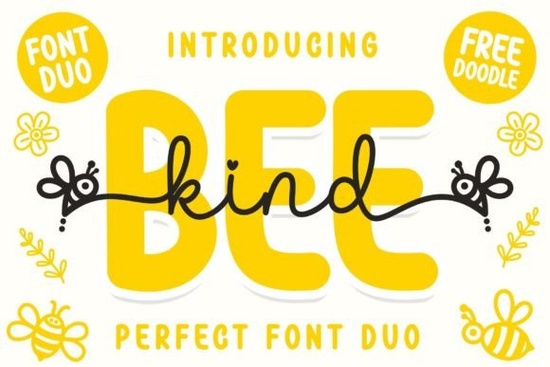
If you create designs for children’s markets, party invitations, or print-on-demand products, you know how hard it can be to find type that feels genuinely cheerful without looking cheap. Bee Kind Duo solves that problem by pairing a bouncy, hand-lettered script with a clean rounded sans in one family. The two styles work together effortlessly, so you spend less time hunting for matching fonts and more time crafting.
What makes the script-and-sans pairing in this bee-inspired typeface so useful?
Rather than a single script or a single display face, Bee Kind Duo gives you both. The script side feels light and approachable, with swashes that add movement to headlines, while the sans variant offers easy-to-read support text that still carries a soft, friendly personality. Because both styles share the same x‑height and overall weight, they look completely natural side by side on a poster, t‑shirt graphic, or greeting card.
Is the font easy to use in standard design software?
Yes. The entire family is PUA encoded, which means all the extra glyphs and swashes are accessible without additional design software. Whether you work in Cricut Design Space, Silhouette Studio, Canva, Illustrator, or Photoshop, you can pull up alternate characters through a glyph panel or a basic character map. This is a relief for crafters and small business owners who don’t want to wrestle with complicated opentype features to get that hand‑drawn look.
Where does this font duo shine the brightest?
- Kids’ birthday invitations and party decor – the bee motif and playful curves immediately set a lighthearted tone.
- Print‑on‑demand baby onesies, totes, and mugs – the bold sans stays readable even at small sizes, while the script adds warmth.
- Classroom posters and educational materials – the friendly letterforms appeal to young readers without sacrificing legibility.
- Logo concepts for bakeries, boutiques, or childcare centers – the duo gives you built‑in hierarchy without extra font pairings.
How do swashes and alternates add variety?
The script includes several alternate letters and ligatures that let you swap out a standard ‘a’ for a loopier version or add a flying tail to a ‘y’. Because the font is PUA encoded, you can simply copy and paste alternates from a font manager or character map. This one-click flexibility is especially handy when you want to give every custom order a slightly unique look without starting from scratch each time.
What other playful fonts could complement this set?
If you’re building a collection for children’s products or cheerful branding, you might pair Bee Kind Duo with a delicate, handwritten script for a layered, storybook feel. When you need a wider range of handwriting styles, a big bundle of notebook-style handwriting fonts can cover everything from journaling to clip art. For very casual, chalkboard-style projects, a sweet casual script adds just enough imperfection. And if you ever want to lean into thick, rounded letterforms, a bold rounded sans magnifies the cheerful vibe without feeling out of place.
What should you check before you download?
- License coverage – make sure the font includes commercial use for your physical products, POD listings, or client work. Creative Fabrica’s license often covers both personal and commercial projects, but verify the details.
- File formats – you’ll typically receive .otf or .ttf files. Both work on Windows and Mac, and the PUA mapping is consistent across formats.
- System compatibility – the font runs on mobile design apps that support custom OTF/TTF files, which can be a bonus for sellers who create on an iPad.
Quick start checklist for your first project
- Download and install both the script and sans files.
- Open your design app and type your headline using the script variant.
- Select any letter you want to switch and open the glyph panel (Character Map on Windows, Font Book on Mac, or the software’s own glyphs panel).
- Browse the alternates look for swashed capitals, terminal swashes, and ligatures like ‘th’ or ‘oo’.
- Set your supporting text (date, location, website) in the matching sans variant, slightly smaller.
- Adjust colors to match a soft palette or a bright candy scheme and export your design.
Once you get comfortable with the duo, try stretching it further by mixing the script and sans inside the same word for a hand‑painted mural effect, or layer the sans with a subtle offset for a sticker‑style cutline.
Try It Free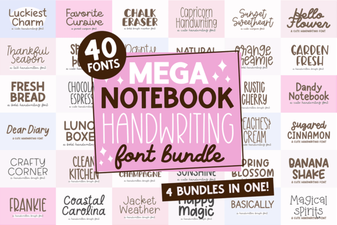 Mega Notebook Handwriting Bundle Font for Journaling
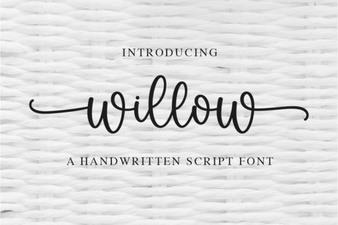 Willow Font: Ideas for Creative Design Projects
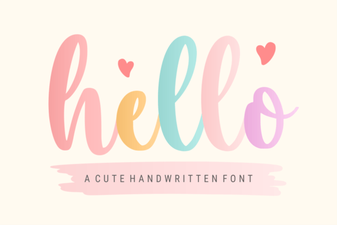 Hello Font Inspiration: Creative Projects & Pairings
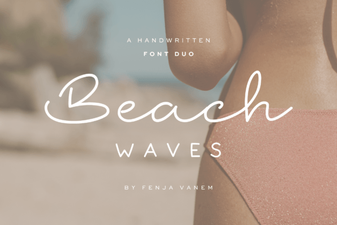 Beach Waves Duo Font: Casual Handwritten Type for Summer Designs
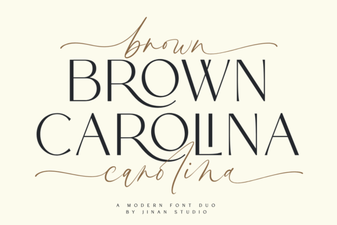 Brown Carolina Duo Font: Versatile Serif & Script Pairing
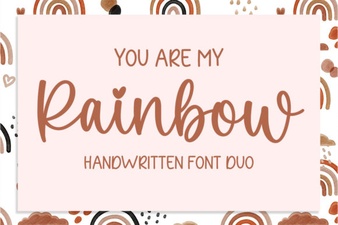 Whimsical Design Ideas with You Are My Rainbow Font