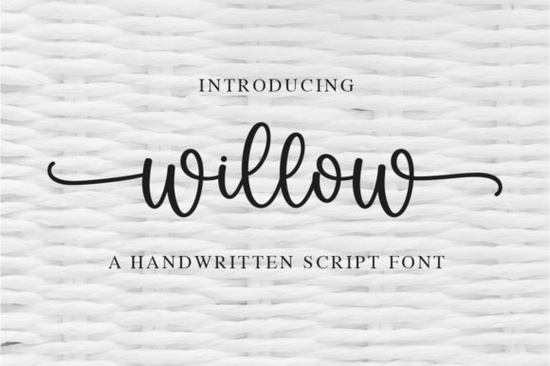
If you’re hunting for a delicate handwritten font that feels soft without being fragile, Willow often ends up at the top of designers’ shortlists. This script face has a flowing, natural rhythm and well-balanced characters, which helps it blend into everything from wedding stationery to branding for small businesses. It’s PUA encoded too, so you don’t need specialized software to reach the extra swashes and ligatures.
What makes Willow a good pick for invitations and branding?
When you work with invitation suites or logo concepts, you need a font that carries enough personality to stand out but not so much that it becomes the only thing people notice. Willow sits in that comfortable middle ground. Its letterforms are slightly slanted and gently connected, which gives the text a hand-lettered feel without being overly formal or stiff.
The stroke contrast is subtle thicker downstrokes, light upstrokes so the words retain an airy look. This makes it especially useful for projects where you want to suggest elegance without shouting. If you’ve tried fonts like Hello or the softer Hey Baby script, you’ll notice Willow shares a similar inviting warmth, though it leans a bit more refined.
Branding work also benefits from the font’s consistent baseline. Logos, taglines, and social media handles set in Willow look cohesive across different sizes, and the PUA encoding means you can swap in a more decorative “k” or a sweeping “y” in seconds. That extra control over detail makes a noticeable difference in client presentations.
Is Willow easy to use if you’re not a professional designer?
Yes, and accessibility is a big reason why fonts like Willow get added to so many toolboxes. Because it’s PUA encoded, the extra characters are mapped to standard Unicode spaces. In most design apps Adobe Illustrator, Affinity Designer, Photoshop, Canva, even Word you can copy and paste the alternate glyphs directly or use your system’s font panel to scroll through them.
There’s no steep learning curve. You download the files, install them like any other font, and the swashes are ready to go. If you’ve ever struggled to make a cursive font look “right” in a cut file for a Cricut or Silhouette machine, the clean outlines here help the cuts come out smooth and thin stems stay intact.
Where can you use a flowing handwritten font like Willow?
The short answer is “almost anywhere” but there are a few specific projects where it really shines:
- Wedding stationery: invitations, place cards, thank-you notes, and envelopes.
- Print-on-demand products: mugs, tote bags, t-shirts, and pillows with short quotes or names.
- Social media templates: inspirational quotes, branding intros, or highlight cover images.
- Small business branding: logos for boutiques, bakeries, beauty salons, and artisan shops.
- Scrapbook titles and journaling: the kind where you want the lettering to feel personal.
Because the letters aren’t overly exaggerated, the font stays readable even when used for longer phrases or secondary headlines. That gives it an edge over some highly stylised scripts that can become hard to parse below a certain size.
How does Willow compare to other popular script fonts?
Every script carries its own mood. Palm Bay Social is more casual and bouncy great for social graphics but less suited for formal settings. On the other hand, if you explore chunky script fonts, you’ll find options that pack more visual weight for headlines but can lose the delicate touch needed for invitation body copy.
Willow sits closer to the middle: elegant but not overly precious, light but still legible in paragraphs of 10–12 pt. For those who like to mix and match, it also pairs nicely with clean sans-serifs or even a sturdy serif for contrast. If you’re building a collection, you might look at a handwritten font bundle that bundles several styles often you’ll find a script like Willow side by side with light, textured, and marker-style fonts so you can cover multiple design needs without hunting for each one individually.
What should you check before downloading script fonts?
Not every delicate script holds up under close inspection, so a few quick checks can save time later:
- License terms: Make sure the license covers your intended use commercial, print-on-demand, or full branding rights.
- File formats: Look for at least OTF and TTF. OTF files often include more alternates and better cross-platform support.
- Web font option: If you plan to use it on a website, see if a webfont kit is available or if the license allows conversion.
- Glyph set: Open the font in a manager and check that the alternates, swashes, and multilingual characters you need are actually present.
- Legibility test: Type a few sample phrases at the sizes you’ll actually use especially important for product labels or small print.
Willow ticks those boxes for many designers. The well-balanced letterforms hold up at different weights and sizes, and the included extras mean you rarely need to hunt down a second font just for a fancy ampersand or flourish.
If you’re building a brand around a soft, approachable identity, starting with a font that already has the right structure and character saves time. You can focus on layout and color choices rather than compensating for awkward spacing or overly ornate forms. Whether you’re designing a wedding suite, a logo, or your next best-selling tote bag quote, a truly balanced script like Willow does a lot of the heavy lifting while still letting your own creative voice show through.
Try It Free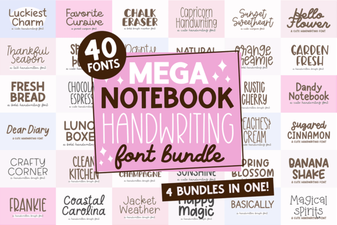 Mega Notebook Handwriting Bundle Font for Journaling
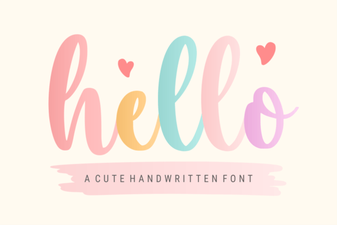 Hello Font Inspiration: Creative Projects & Pairings
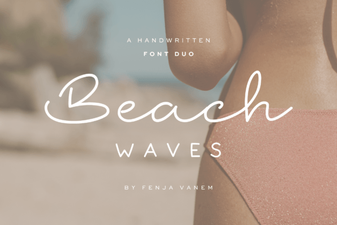 Beach Waves Duo Font: Casual Handwritten Type for Summer Designs
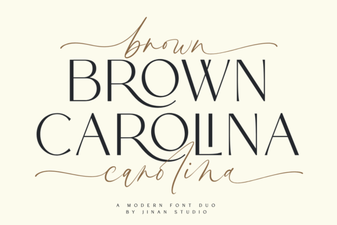 Brown Carolina Duo Font: Versatile Serif & Script Pairing
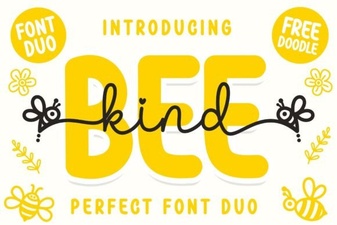 Unleash Creativity with the Adorable Bee Kind Duo Font
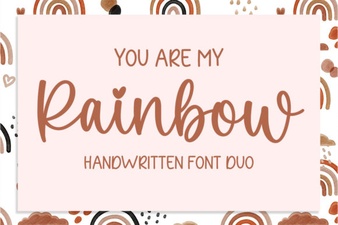 Whimsical Design Ideas with You Are My Rainbow Font