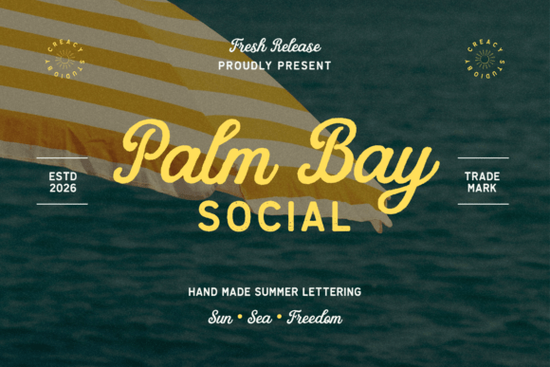
Finding a font that captures the lazy warmth of a seaside holiday without looking cartoonish can be surprisingly hard. Palm Bay Social handles that balance beautifully. This duo pairs a smooth retro script with a distressed sans serif, giving your work the feel of a hand-painted sign from a 1950s beach club. Designers who love vintage travel posters, coastal branding, and down-to-earth wedding stationery will find it slots right into their toolkit.
What makes the Palm Bay Social font feel so nostalgic?
The script half is the star. It borrows from mid-century cursive relaxed, slightly uneven strokes that mimic real paintbrush or marker work. The connecting letters flow naturally, so words feel warm and personal rather than stiff. The sans serif companion tempers that softness with a rough, almost sun-bleached texture. Tiny eroded edges and inconsistent letter widths give it the look of wood type left out in the salt air. Together, they create the kind of contrast that Vintage coastal branding projects crave elegant but never precious.
Which projects shine with this summer font duo?
Palm Bay Social isn't just for one-off stickers. It earns its keep across a range of print and digital work. Here are a few places it fits naturally:
- Beach wedding suites: Use the script for names and the sans for reception details. It reads like a love letter from a seaside inn.
- Surf shop or resort logos: The distressed sans gives a badge-like sturdiness, while the script adds welcome personality.
- Sublimation apparel: The clean but textured lines press well onto tees, totes, and caps, holding up even after wash cycles.
- Instagram or Pinterest graphics: Short quotes in the script over a light photo overlay feel effortless and scroll-stopping.
- Cafe menus and window decals: A chalkboard look with very little extra work just print or cut as-is.
If you sell designs on print-on-demand platforms, the duo’s handcrafted appearance helps products stand out without needing complicated layering. It already does the heavy lifting.
How do I combine the script and sans serif effectively?
Start from a simple hierarchy. The flowing script naturally draws the eye, so save it for focal points: the main title, a featured date, or a hero product shot. The sans works best for supporting information like taglines, addresses, or ingredients. Try setting the sans in all caps with generous letter spacing that roughened edge looks even better when letters have room to breathe. For color, stick with ocean-inspired palettes (faded teal, sandy beige, coral) or classic black on kraft paper. A tiny extra step: run a subtle grain filter over the whole design in Photoshop to tie the two type styles together seamlessly.
What exactly is included in the download?
Once you grab the full Palm Bay Social set, you get a practical folder with:
- Palm Bay Social Script – a smooth, connecting cursive in OTF and TTF formats
- Palm Bay Social Sans – a distressed all-caps sans with rough edges
- Basic punctuation and numerals for both styles
- Multilingual support covering Western European languages
The files install like any standard font on Mac or PC. You can use them in Silhouette Studio, Cricut Design Space, Canva (with desktop upload), or Adobe apps. No special software needed for the weathered texture it’s built right into the vector outlines.
Where can I find more fonts with a similar coastal vibe?
If you love the feel of Palm Bay Social but need a slightly different weight or a more ornamental script, a few related options are worth checking. For another surf-and-sand pairing, a beach-themed duo with a bouncier baseline might be your style. When projects call for something purely script-forward, a delicate, airy cursive pairs well with built-in sans fonts you already own. If the rugged sans serif is what caught your eye, a similar set with a more pronounced woodcut texture pushes the vintage angle even further. And if you’re stocking up on options for a client’s brand kit, a larger bundle of handwritten styles gives you dozens of scripts and print fonts to mix and match.
Is this font easy to read at small sizes?
The script remains legible down to about 14pt in print, though the thinner connecting strokes benefit from a slight size bump on textured paper. The sans holds up better at tiny scales thanks to its sturdy weight. If you’re printing on uncoated stock like kraft or linen, bump both fonts up by 2–3 points to keep the distressed details crisp. On screen, they work well for social media posts even at smaller caption sizes just avoid compressing the script too tightly.
Next step: start with a simple beach club poster mockup. Set ‘Summer Nights’ in the script at 48pt, drop the location in the all-caps sans below it, and add a soft retro halftone background. That one layout will show you exactly how the duo handles real design pressure and likely spark ten more ideas.
Try It Free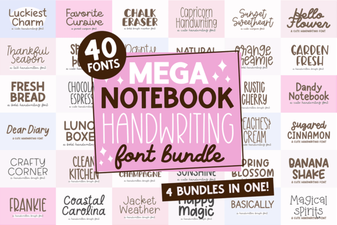 Mega Notebook Handwriting Bundle Font for Journaling
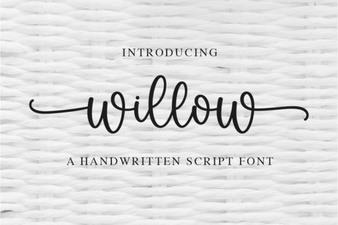 Willow Font: Ideas for Creative Design Projects
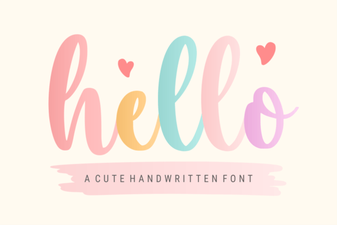 Hello Font Inspiration: Creative Projects & Pairings
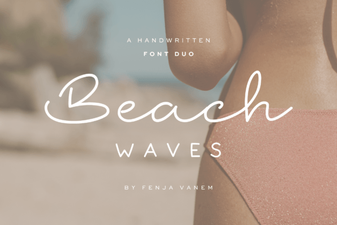 Beach Waves Duo Font: Casual Handwritten Type for Summer Designs
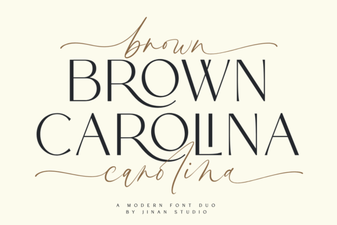 Brown Carolina Duo Font: Versatile Serif & Script Pairing
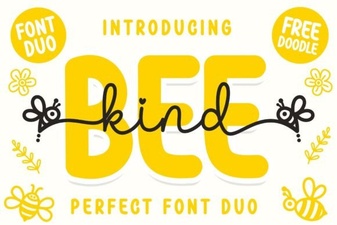 Unleash Creativity with the Adorable Bee Kind Duo Font