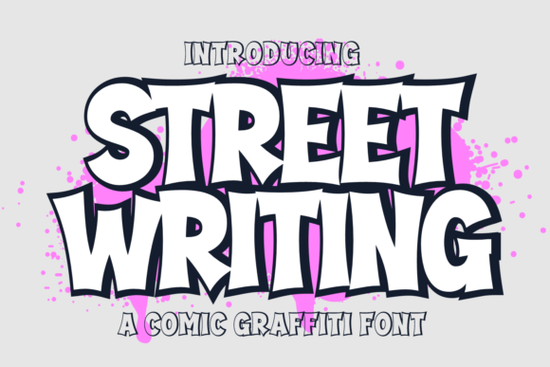
Street Writing Font gives you a hand-drawn cartoon graffiti look that feels immediate and energetic. Whether you’re mocking up a streetwear brand logo, lettering a comic book cover, or designing stickers for your shop, this font captures that spray-painted texture without ever picking up a can. If you want an authentic street art style, Street Writing packs two complete typefaces – a clean regular style and a matching extrude (3D) style – plus full uppercase, lowercase, numerals, and punctuation. It’s built for makers who need a consistent graffiti voice from one project to the next.
What makes Street Writing stand out from other graffiti fonts?
Many graffiti fonts give you one flat style. Street Writing goes a step further. You get the regular weight for crisp lines, and then an extrude layer that adds a solid shadow effect. When you stack the two together – placing the regular on top of the extrude – you create a pop‑off‑the‑page 3D look with almost zero effort. The cartoon proportions keep things playful, while the hand-drawn edge stops it from feeling too polished. That’s why small business owners, print‑on‑demand sellers, and YouTubers reach for it when they need something that reads well at a glance and still has a personal, guerrilla-art feel.
What can you actually create with Street Writing?
This font fits more than just graffiti albums. Here are a few places where the cartoon street style really shines:
- Logotype design – build a brand mark for a streetwear label, skate shop, or urban café.
- Comic book lettering – use the regular style for speech bubbles and the extrude for sound effects.
- Watermarks and stamps – add subtle branding to product photography without looking corporate.
- Posters and flyers – create event announcements that grab attention on a crowded bulletin board.
- Product packaging – turn a simple soap or candle box into a collectible with a bold logotype.
- Promotional merch – print it on t‑shirts, tote bags, or phone cases and watch it wear like a custom illustration.
The extrude style is especially handy for vinyl decals and iron‑on designs because you can cut a single‑color silhouette or layer two colors for depth.
How do I install and use the regular and extrude layers?
Installation is the same as any standard OTF or TTF file. Double‑click the font files to add them to your system, then they appear in any design app that uses your system fonts. To stack the styles, type your text twice: once with the extrude weight and once with the regular. Place the regular on top of the extrude, shift it slightly sideways, and colour the two layers differently. In programs like Photoshop or Illustrator, you can work with the layers panel to lock the extrude as a deep shadow. In Canva or Cricut Design Space, just duplicate the text box, change the font style, and adjust the position. A thick black extrude behind a bright neon regular gives the strongest spray‑painted illusion.
How does it compare to other popular display fonts?
Street Writing lives in the bold, urban, cartoon space. That’s very different from a soft, marshmallow‑like typeface that works better for baby shower invites or sweet‑shop branding. If you need a retro athletic look, a sporty varsity style might match your casual apparel vision – but it won’t give you the graffiti bite. For nostalgic game vibes, a classic arcade‑inspired font can be fun, yet it lacks the hand‑inked roughness of Street Writing. Creators who chase dreamy, space‑themed projects often pick a cosmic star typeface, and those designing for children’s party supplies might grab a retro kid’s font. The key difference? Street Writing gives you the authentic, slightly messy personality of marker‑on‑wall graffiti while still being readable enough for commercial packaging.
Can I use Street Writing for commercial work?
Yes. The license included with your Creative Fabrica download typically covers commercial use in physical and digital products, social media graphics, and client projects. Always check the latest licensing details on the product page, but most small businesses and print‑on‑demand sellers find they can use the font on goods for sale without extra fees. If you plan to embed the font in an app or an ebook, look for the extended license option. For everyday branding, logos, and merch, you’re covered.
What’s the best way to pair colors with a graffiti cartoon font?
Graffiti lives on contrast. Start with a deep background – charcoal, navy, or brick red – and let the font pop in high‑chroma tones like electric yellow, cyan, or lime green. If you’re using the extrude, keep its colour a dark solid (black, umber) to ground the letters, and use a bright gradient or flat day‑glo hue for the regular layer on top. Adding a few spray‑paint splatter PNGs or half‑tone textures behind the text can tie the whole piece together without making the lettering hard to read. Test your colour combos on a small preview, because the heavy stroke widths of graffiti fonts can get muddy if you go too subtle.
Quick checklist before you start designing with Street Writing
- Download both font files (regular and extrude) – missing one means you lose the 3D effect.
- Install on your device and restart your design app so the fonts appear in the menu.
- Set a high‑contrast colour palette – test three to five combos before going all in.
- Use the extrude as a shadow layer, not a standalone style, for the strongest visual impact.
- Check your license if you plan to sell merchandise – confirm commercial use is allowed for your exact case.
- Pair with simple supporting text – a clean sans‑serif or a handwritten script keeps the focus on the graffiti lettering.
Grab the Street Writing font, open your canvas, and start building that bold, streetsmart look today.
Try It Free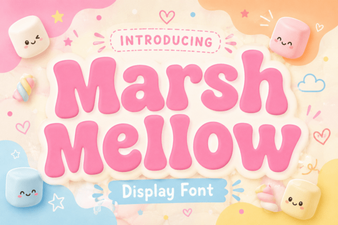 Playful Designs with Marshmellow Font: Ideas & Tips
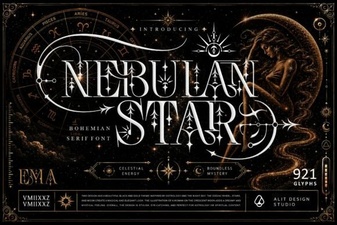 Nebulan Star Typeface: Space-Inspired Font for Creative Designs
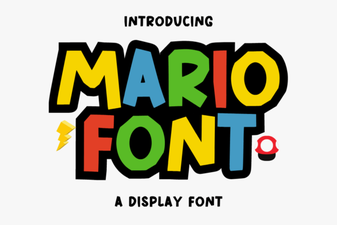 Mario Font: Design Ideas and Creative Projects
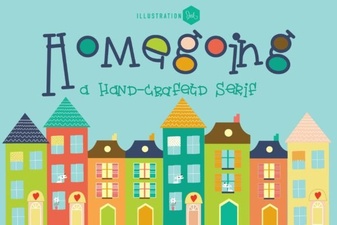 Homegoing Font: Design Inspirations & Usage Tips
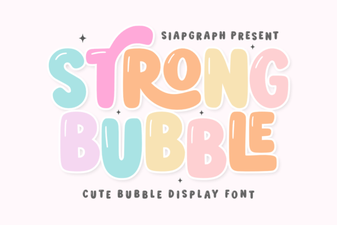 Strong Bubble Font: Bold Playful Typography for Designs
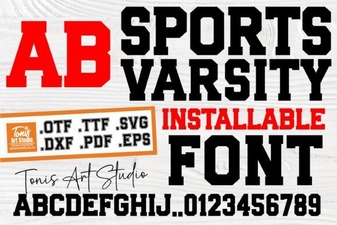 Sports Varsity Font Ideas for Bold Team Designs